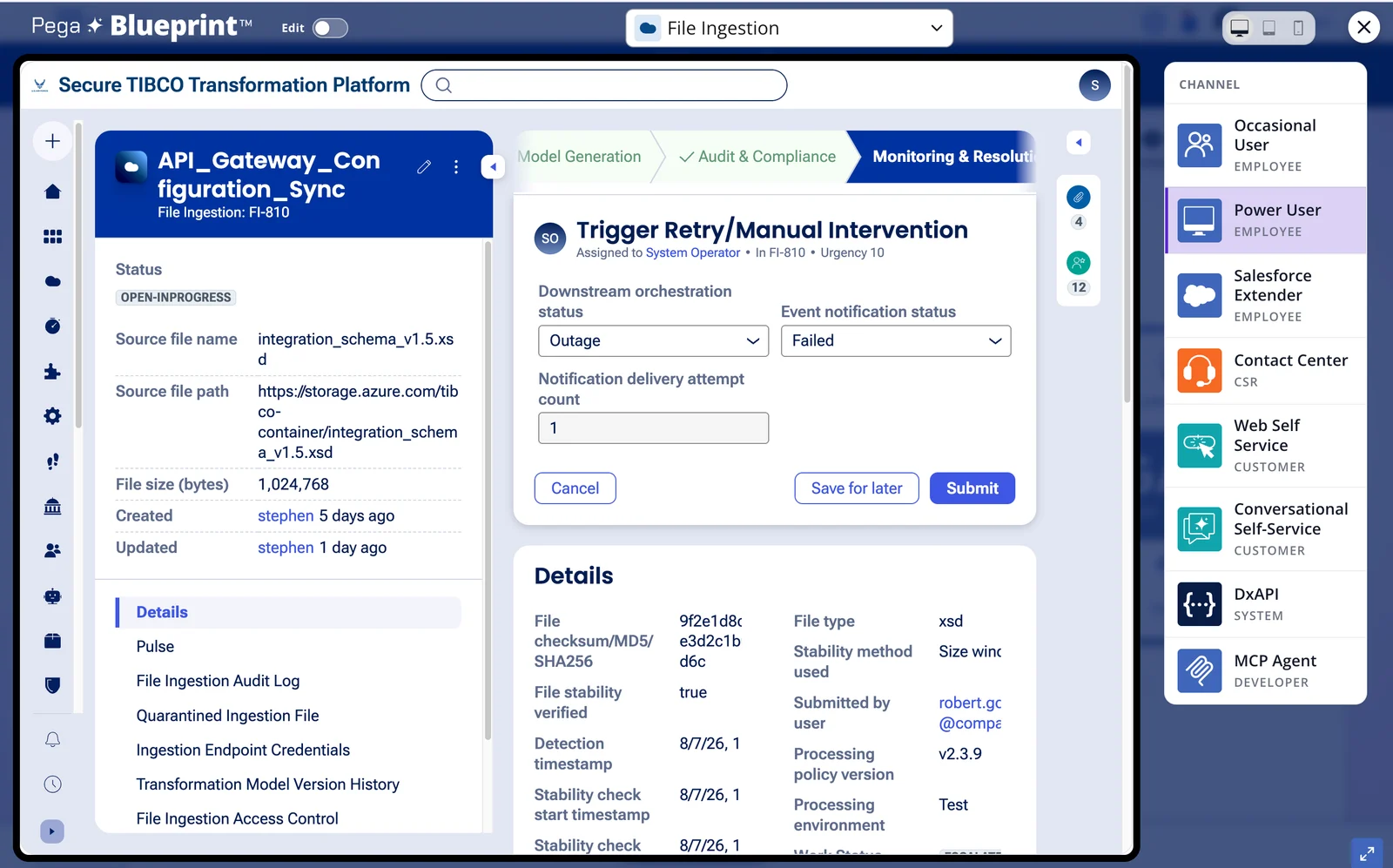
This is the first in a series of short technical notes covering work we have run through Alchemist AI Pro™ on real problems. The goal of each note is the same: show the actual steps, the actual tools, and the actual output.
As part of the work to help people recognize the value of Alchemist AI Pro™ (AAIP), I have been working on using its capacities to complete work with real ROI, not just capability demonstrations.
Recently, I was working with a customer who was looking at using Alchemist AI Pro™ and needed to support a claim that ACC3 International made related to being able to take a business analyst from an application built on an ISV's technology through the work of transferring it to the platform provided by a second and completely different ISV. This represented essentially real-time migration of the application while preserving capability.
Why AlchemistAIPro™?
-
There is no direct path from TIBCO to Pega; AAIP can bridge the differences between the two structural approaches and provide a straightforward path to adapt existing solutions to a new platform.
-
Analysis and integration capability of AAIP enables extension of the requirements and design to deliver a better and richer experience.
-
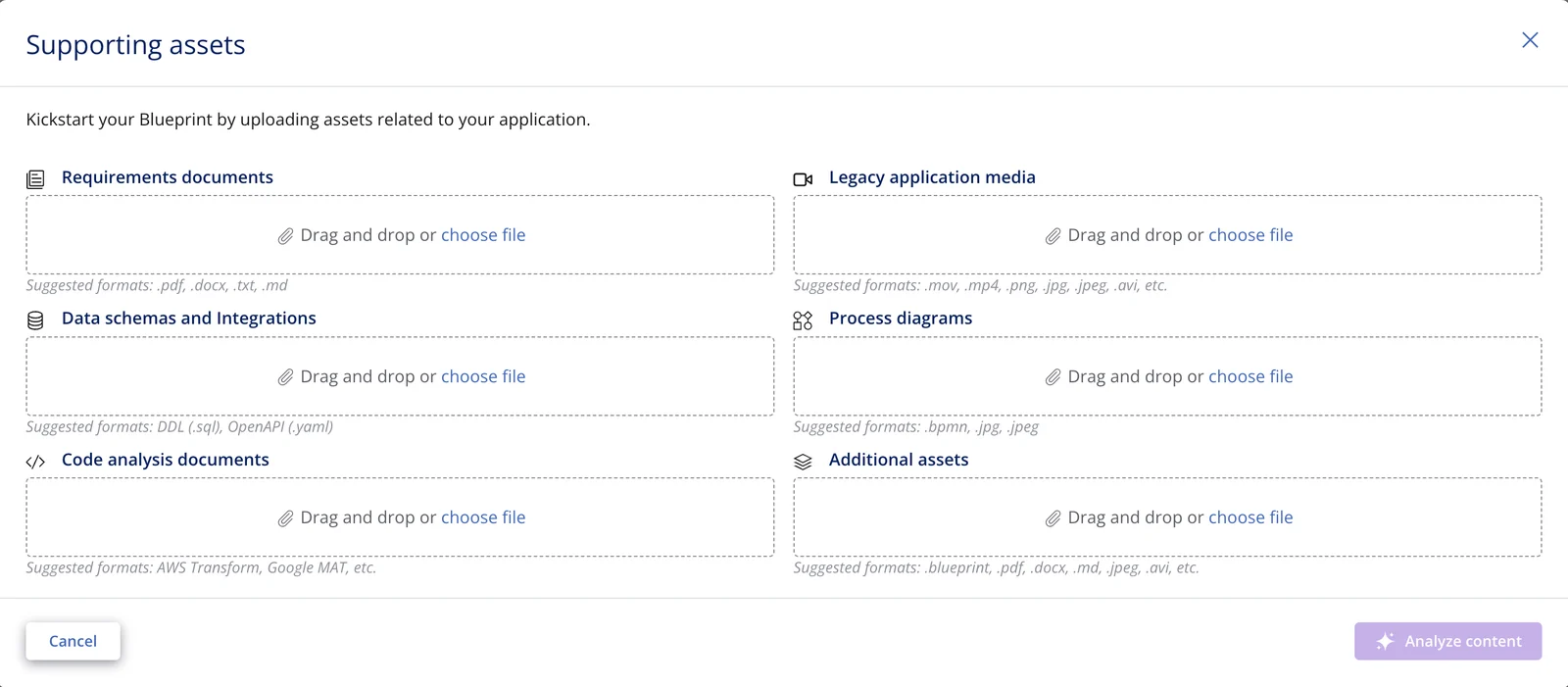
AAIP is very easy to use; the source documents are fed into Alchemist through its structured upload dialog. Content is "dragged and dropped" into the control with the matching description (e.g. requirements, specifications, etc.) and the acceptable file types are listed on the screen.
-
AAIP analyzes its outcomes using an adversarial AI approach to ensure the solution is solving the right problem the right way.
Details
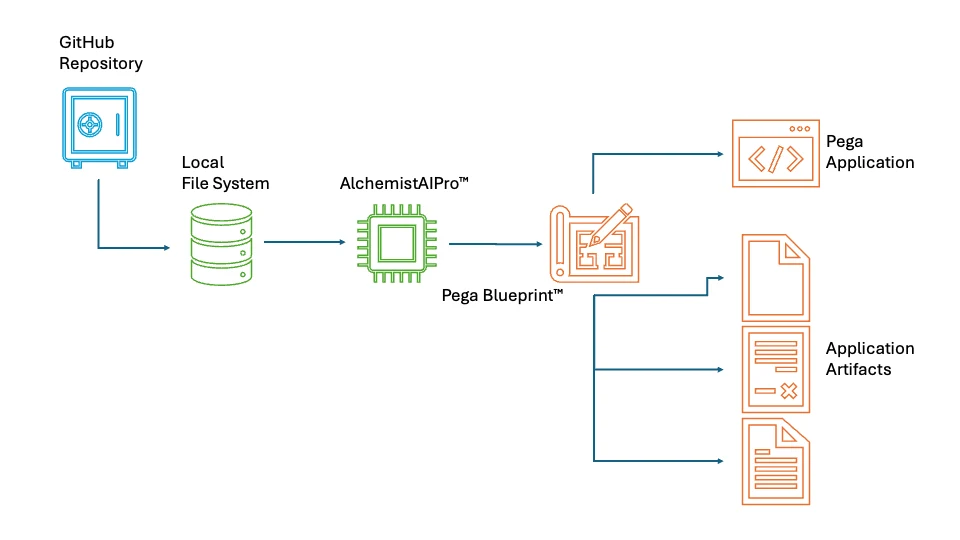
Here are the specifics of the process in moving a TIBCO service to Pega using AAIP to handle extraction, analysis, organization, and user story rendering. The output from AAIP became the input to Pega's Blueprint™ web-based application definition service.
-
For the candidate test application an example TIBCO credit approval service application was selected, the Experian Demo Service. The project files for this service are found at github.com/TIBCOSoftware/bw-samples.
-
Hosting for the Experian example projects is on a GitHub repository which cannot be referenced directly, so a local store for the files was created. This was accomplished by defining a working directory and performing a git init from the command line to create and initialize the repository environment and hidden files.
-
Once the local git repo was set up, the files were copied locally from the web repository by issuing a git clone https://github.com/TIBCOSoftware/bw-samples from the command line in the working directory previously created.
-
Once the TIBCO source content is available it is fed to the AAIP ingestion process and the extraction and analysis process runs. The output files become the input to the Blueprint processing site.
-
With the TIBCO example files processed by AAIP, the Pega Blueprint™ site was accessed at pega.com/blueprint. The Blueprint site requires that the user creates a unique login and authenticates their access.
-
Once access to the Blueprint site has been achieved the Build a Blueprint button is selected and the For workflows & app design option is selected from the dialog that opens. A business e-mail is required to proceed. When the login proceeds to Blueprint Dashboard, Create a Blueprint is selected and a type of Other selected for the application type.

-
Once Other is selected, the Upload supporting assets is clicked. The dialog to handle the asset upload presents multiple categories of documents. The Alchemist created use case document is passed to the Requirement documents reception point. Additional content related to preferred screen formats and process input can be included in the appropriate categories.
-
Once all desired assets have been provided the Analyze content button is clicked and Blueprint will generate the application, documentation, and user interaction content for a Pega application.
- Blueprint assets (Blueprint file, PDF documentation) can be downloaded and the generated application template can be examined and run in demonstration mode.