
This is the second in a series of short technical notes covering work we have run through Alchemist AI Pro™ on real problems. The first note moved a TIBCO application onto Pega. This one takes on a platform that does not hand you files at all.
One of my coworkers was speaking with a prospect and brought up the TIBCO process transformation I had run through Alchemist AI Pro™ (AAIP). The prospect asked the seemingly innocent question, "What about Appian?"
That one unassuming question got me thinking about what it would take to have AAIP read the definitions, specifications, flows, and narrative making up an Appian solution.
Not being experienced in Appian development, I needed to acquire some rudimentary skills to work with the Appian tools. Following the recommendations on the main Appian website, I started at the Appian Academy so I could gain enough of an understanding of Appian application structure and how to use their business analyst and software engineer platform. From further questions in the user forums of the Appian Academy, I learned that there are example Appian applications available in the Appian Community. After accessing Appian Community I chose the Acme Automobile application, as it was a reasonably complex design and balanced that with multiple well understood business processes and objects.
Following a little bit of set up with my personal workspace, I extracted a copy of the Acme application and configured a package for deployment. From the package definition, AAIP extracted the content, including process, documentation, and logic, and then rendered it into its extract form, immediately usable to submit for automated or manual construction.
What all this meant is that the value locked up in the proprietary representations of the Appian implementation is accessible and available to redeploy or re-platform as desired.
AAIP creates the Use Cases, Tests, Personas, and Rules from the implementation plus any documentation available. Lock-in is undone.
Why AlchemistAIPro™?
-
AAIP deals with Appian's non-traditional development tool, which uses containers and objects served from a web interface rather than discrete file objects in a filesystem directory structure. AAIP iterates the collection from the web server interface and handles their processing, avoiding steps to convert them to materialized files.
-
AAIP manages the iterative parsing of all the components from Appian without having to feed them one at a time to a drag-and-drop handler.
-
AAIP is very flexible in gathering the content of an application or solution, and correlates the content it receives to check for consistency, reporting missing or mismatched assertions.
-
AAIP analyzes its outcomes using an adversarial AI approach to ensure the solution is solving the right problem the right way.
Details
These are the details of using AAIP to access and reference an Appian solution. This one, "Acme Automobile," was hosted on Appian's community cloud, but the process is the same for connecting to a user-managed instance or another cloud-based server. The process consists of a little application preparation and subsequently setting up AAIP to reference the development web server.
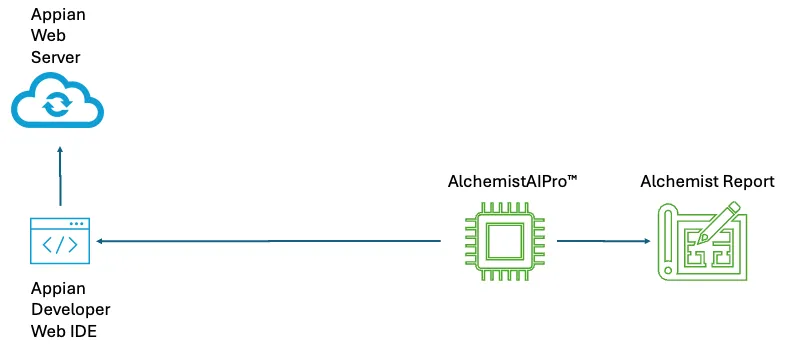
- The structure of the components in using AAIP to access Appian and create the Use Cases and supporting definitions is shown below. AAIP uses the developer web-based interface to pull the application content from Appian and processes it, producing the Extract.
-
Access the Appian development server hosting the application. The one I used for this effort was the German site located at de.appian.community.
-
Request a personal workspace. Note this may take a few minutes or more depending on how busy the environment is. Please note, I have masked out identifying information like subscription and user IDs to preserve the integrity of my model.
-
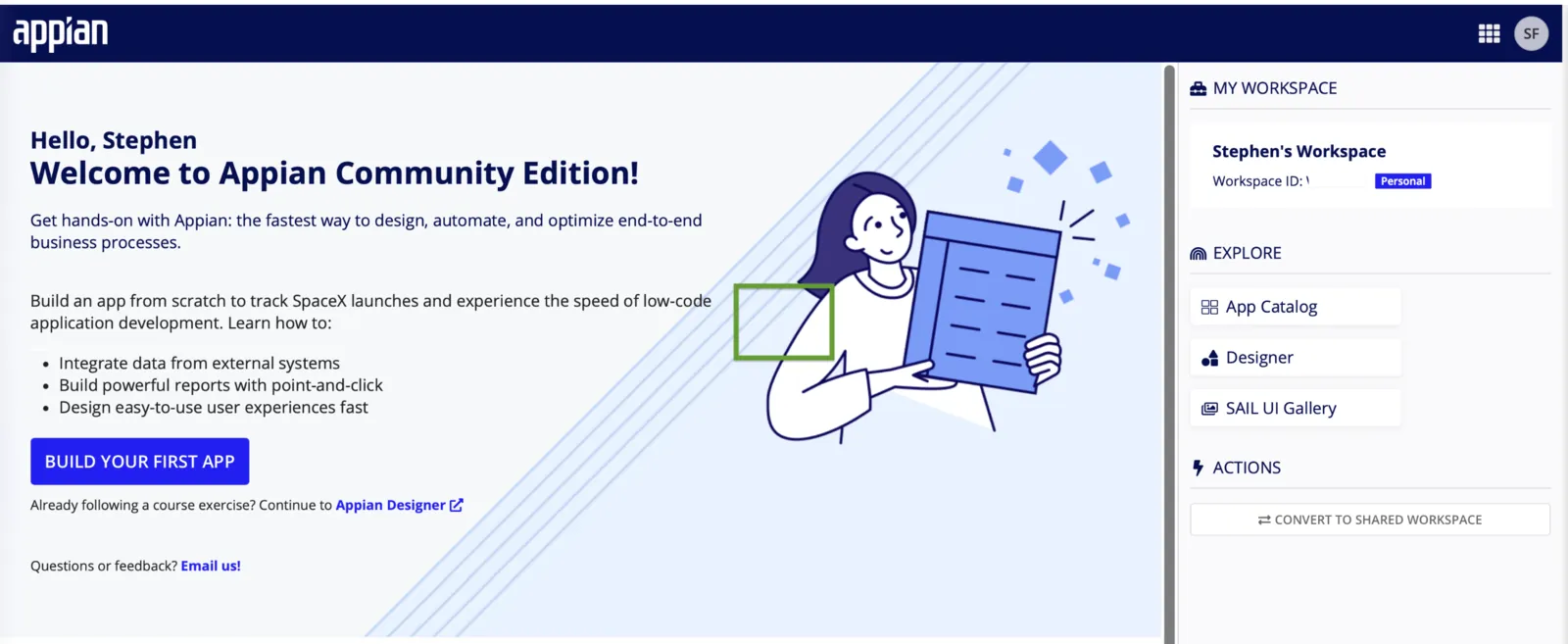
When your workspace is ready you can connect to it, and you should see a screen like this.
-
I accessed the App Catalog (seen on the right panel) and requested the Acme Automobile application be loaded for me; this used the one workspace token I had allocated to me under my free access user.
-
Once the application instance was set up for me, I accessed the Application Design tool from the palette, and it brought up this view.
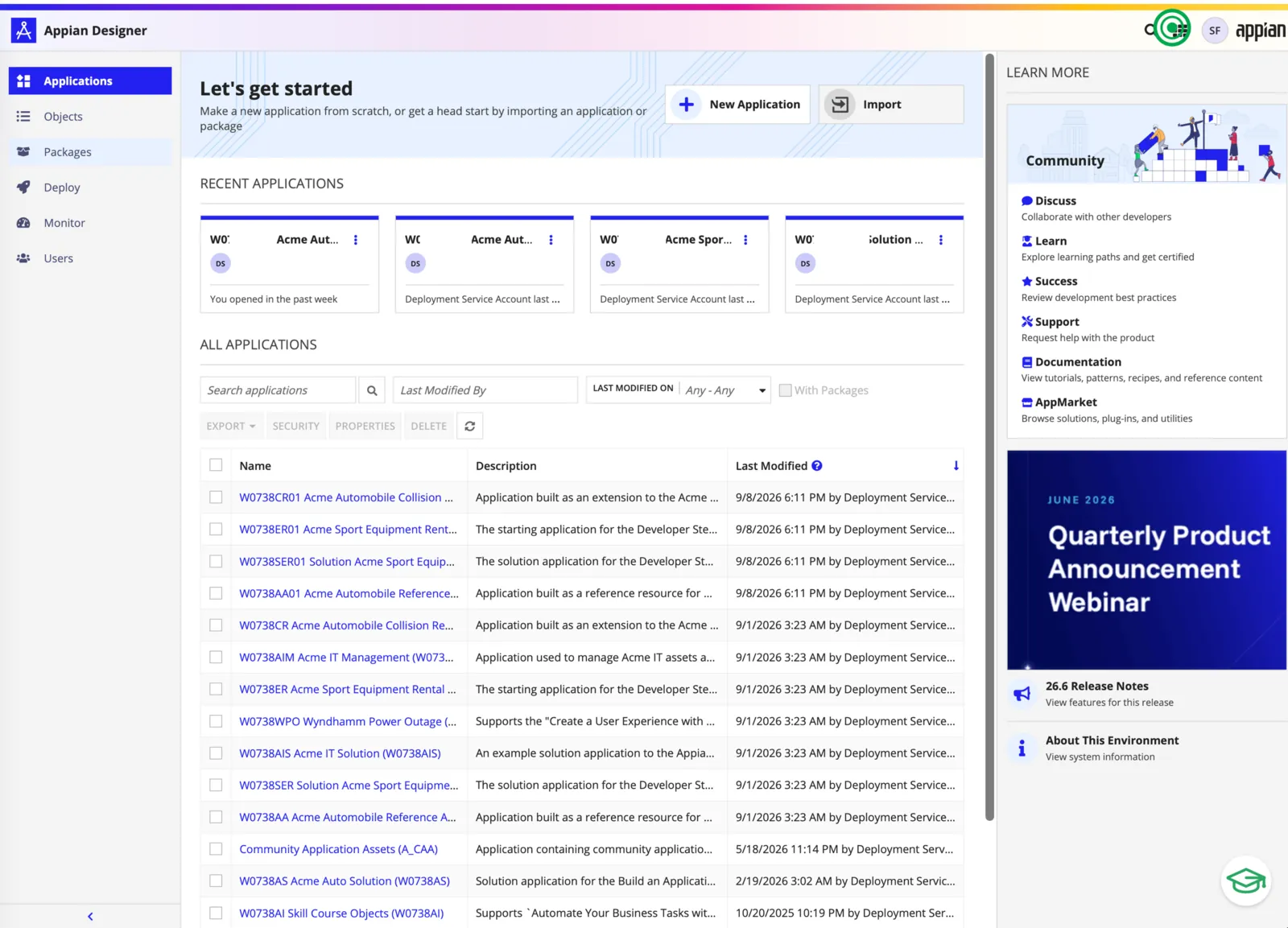
- From the Appian Designer I went to the Packages interface (seen on the left panel), which brought up the package creation and management page. I created a package with my name on it.
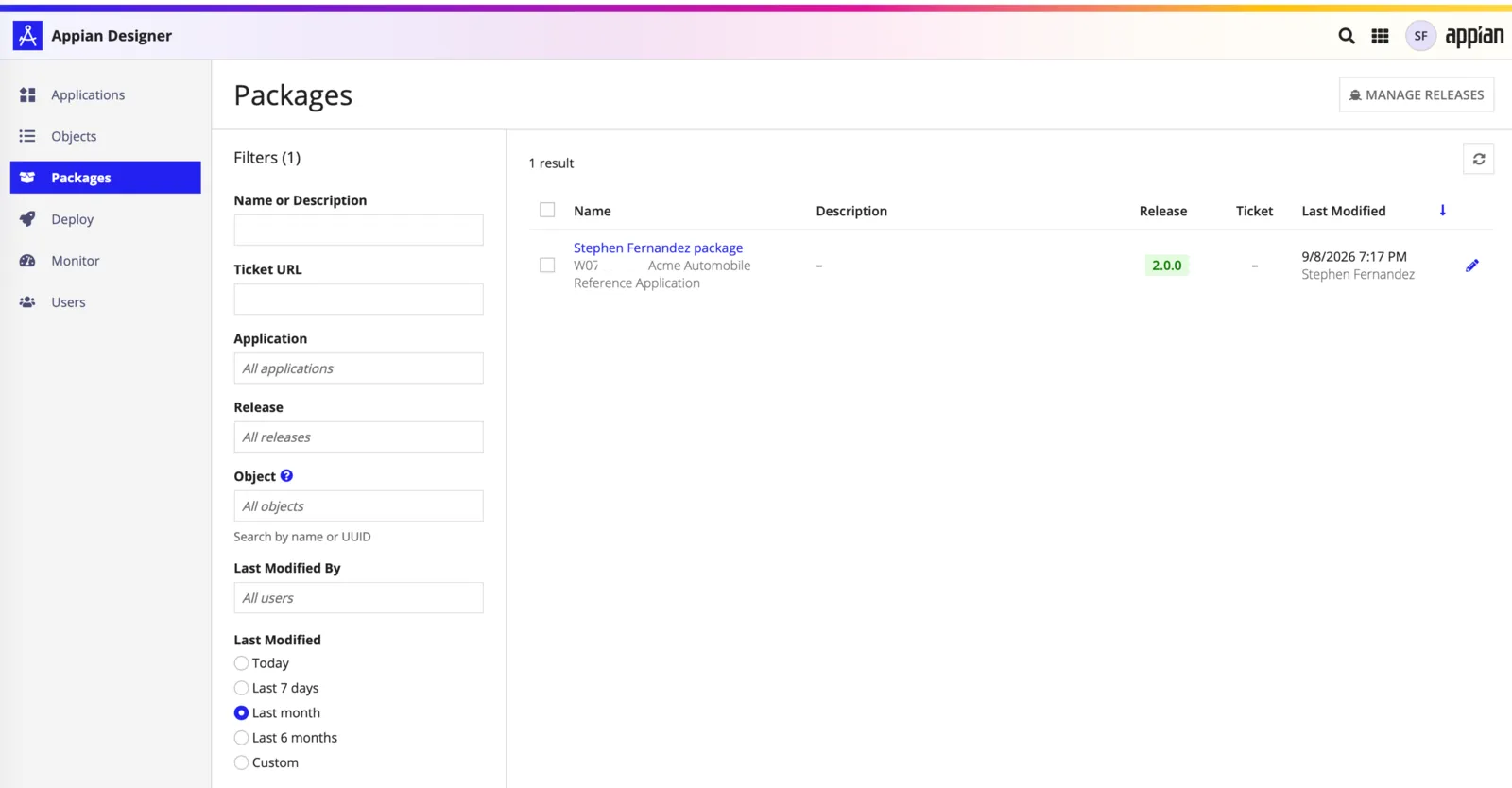
- I added all of the containers and objects from the application to the package, which should look like the screen below, aside from the content redacted for privacy.
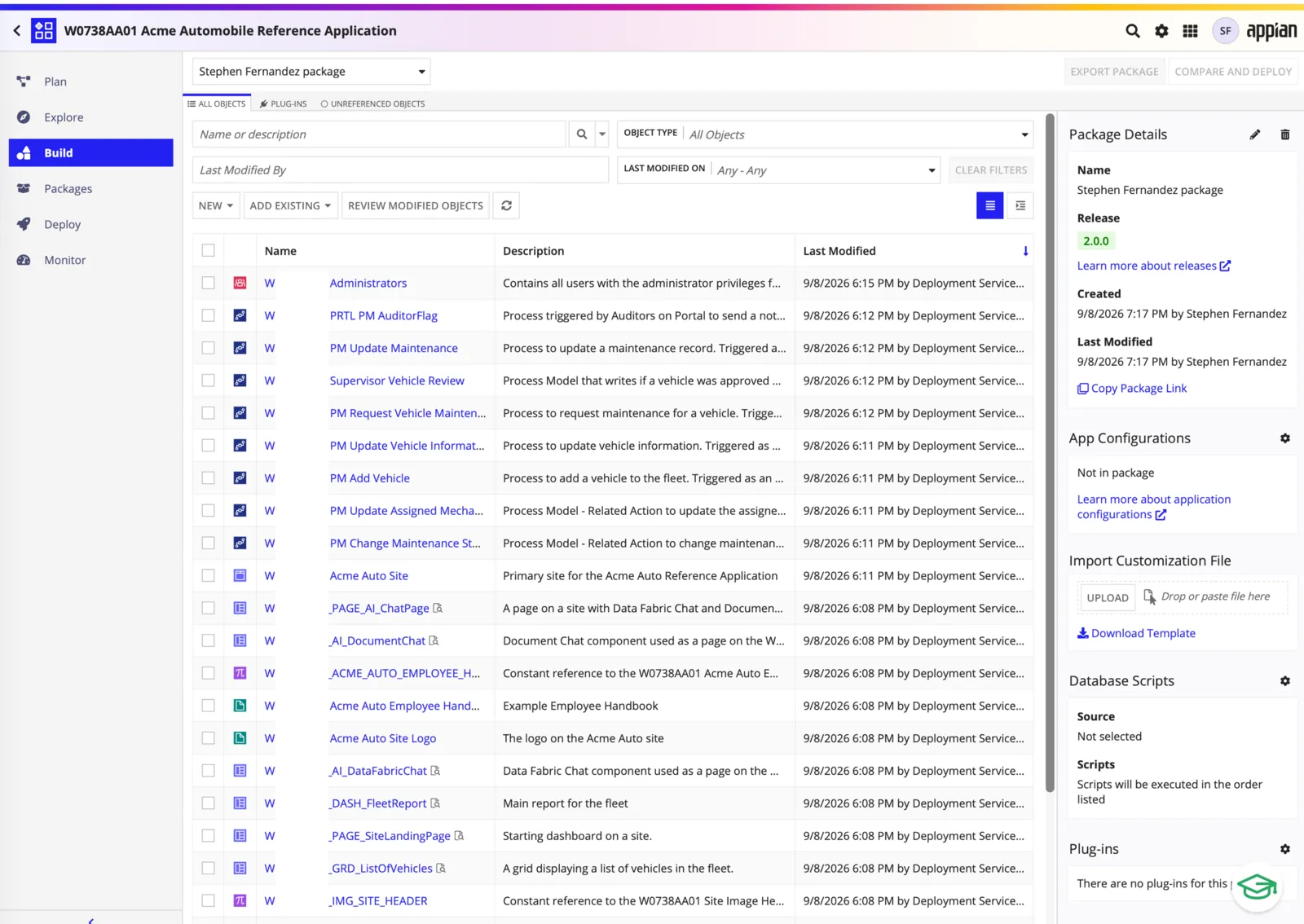
- With all of the content of the application listed, the URL for this package page is copied into the AAIP Capture screen's Scrape a Web Page input. AAIP will process all of the linked content from the page and build the application definitions and documentation.
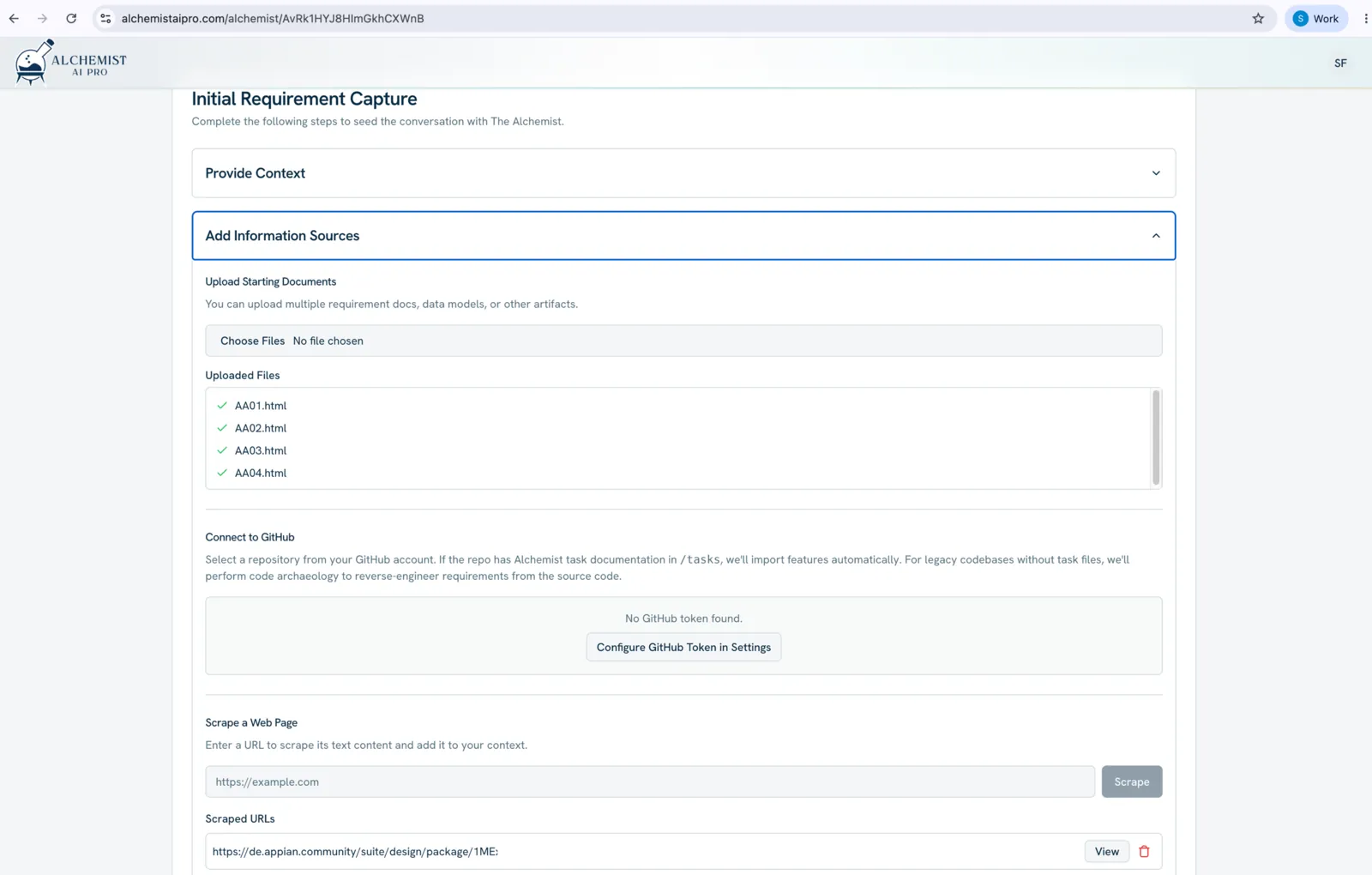
Note: The AAIP processing does take some time to ingest and correlate the content.