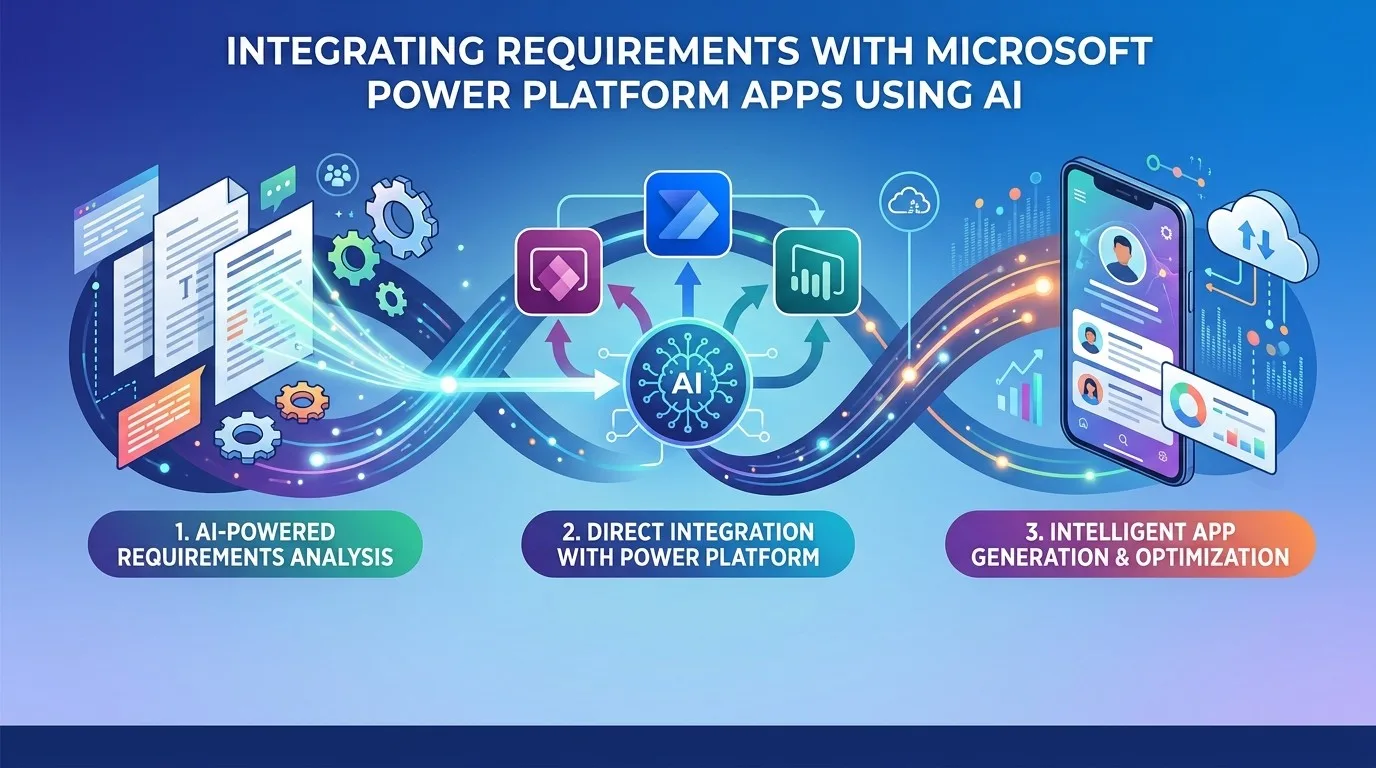
After aligning Alchemist AI Pro™ to build solutions with ServiceNow’s AI assistants, I was asked, “Could you do that with Microsoft’s Power Platform and Apps?” Being the curious type and liking to work with new technology stacks, I thought I would give it a try and it turns out to be less of an investment than at first glance.
Turns out, you need to get a little bit hands-on to get across the finish line. Although Microsoft’s APIs are technically able to create anything in the development environment, it would make for a convoluted solution, there are multiple APIs that each compartmentalize a small part of the process. And you have to be very specific about the order and content to successfully automate the application creation. The difference between automated enough to make the process easy and fully automated was too great a gulf to make sense taking on. Key to the issue of complexity is that you cannot simply upload a JSON definition of your solution and have the environment create you a Canvas App.
To achieve the final steps of the process, the solution relies on the developer copying generated content (strings and files) into the Power Platform’s configuration files and letting the tools in the Microsoft developer space process the content into source code (actions, UI, and business logic).
AI is leveraged to create the necessary frameworks utilizing a “Power Platform Architect” persona which works with LLM prompts to create the components we need for the app, automation, and logic. Essentially, the LLM generates “Technical Manifests”. These manifests contain the precise code (i.e., Power Fx, JavaScript, and Workflow Logic) and “Copilot Prompt Bundles” that are pasted into Copilot to build the UI.
Our solution consists of two executable parts and a repository (JSON schema) that ties them together into a solution and stores the generated definitions:
-
A Python application that acts as the architect and parses out the content from the Alchemist AI Pro™ output file.
-
A follow-on Java Deployer application that generates the data model and pushes it to the Dataverse and creates four files.
“Super-Schema” JSON
Our repository manifests the JSON schema and a Python processor packs the content from the Alchemist AI Pro™ PDF into a JSON format that handles all the outputs in a single payload. This JSON container feeds into the Java deployer, which populates the data definition and creates the files to be uploaded to Power Platform as the UI definition (both Canvas and Model Driven definitions), the automations (flows), and the program logic (Power Fx formulas and JavaScript).
{
  "data_model": { "entities": [...] },
  "ui_manifest": {
    "canvas_app": { "screens": [...], "galleries": [...], "forms": [...] },
    "model_driven": { "forms": [...], "views": [...] }
  },
  "automation_manifest": {
    "flows": [{ "trigger": "...", "actions": [...], "conditions": [...] }]
  },
  "logic_manifest": {
    "power_fx": ["Formula 1", "Formula 2"],
    "javascript": ["function onSave() {...}"]
  }
}
The Python “Architect”
Python is used to drive an LLM-based expansion of the Alchemist AI Pro™ output to define and populate the JSON schema. Providing the right prompts to the LLM is key so that it uses the persona of a Power Platform Expert.
import fitz
import json
from openai import OpenAI

class PowerPlatformArchitectStack:
    def __init__(self, openai_key):
        self.client = OpenAI(api_key=openai_key)

    def extract_text(self, pdf_path):
        doc = fitz.open(pdf_path)
        return "\n".join([page.get_text() for page in doc])

    def generate_full_solution(self, raw_text):
        print("[Python] Generating Full Platform Architecture...")

        prompt = f"""
        Analyze this document and act as a Senior Power Platform Architect.
        Generate a complete solution manifest in JSON format.

        Include these 4 segments:
        1. data_model: Entities, attributes, and relationships.
        2. ui_manifest:
           - canvas_app: Define screens, layouts (Header, Gallery, Form), and
                         responsive controls.
           - model_driven: Define main forms and system views.
        3. automation_manifest:
           - flows: Define Power Automate flows. Specify the Trigger, Actions,
                    and branching logic (If/Else).
        4. logic_manifest:
           - power_fx: Write actual Power Fx formulas for filtering and
                       button actions.
           - javascript: Write JavaScript web resources for Model-Driven App
                         events (onSave, onChange).

        Document: {raw_text}
        """

        response = self.client.chat.completions.create(
            model="gpt-4-turbo-preview",      # 🡸 LLM to use
            messages=[{"role": "user", "content": prompt}],
            response_format={ "type": "json_object" }
        )
        return json.loads(response.choices[0].message.content)

    def run(self, pdf_path):
        text = self.extract_text(pdf_path)
        manifest = self.generate_full_solution(text)
        with open("platform_manifest.json", "w") as f:    # 🡸 Output schema file
            json.dump(manifest, f, indent=4)
        print("[Python] Manifest generated: platform_manifest.json")

# Execution
if __name__ == "__main__":
    stack = PowerPlatformArchitectStack("sk-xxx")  # 🡸 Open-AI key
    stack.run("alchemist-report-TEST.pdf")     # 🡸 Input PDF file from Alchemist AI Pro™
The Java “Deployer”
The Java stack is a Multi-Channel Deployer that performs two distinct tasks:
-
API Deployment: Pushes the
data modelto Dataverse. -
File Generation: Generates UI, Automation, and Logic outputs
.fx(Power Fx) and.js(JavaScript) files for the developer.
Java Implementation
Note on dependencies: To compile and run this application, you will need the Jackson Databind library for JSON parsing and Apache PDFBox. In this “Deployer” version, we are consuming the JSON produced by the Python stack.
import com.fasterxml.jackson.databind.JsonNode;
import com.fasterxml.jackson.databind.ObjectMapper;
import com.fasterxml.jackson.databind.node.ObjectNode;
import java.io.File;
import java.io.FileWriter;
import java.io.IOException;
import java.net.URI;
import java.net.http.HttpClient;
import java.net.http.HttpRequest;
import java.net.http.HttpResponse;
import java.nio.file.Files;
import java.nio.file.Paths;
import java.util.Map;

/**
 * PowerPlatformDeployer
 * A full-stack deployer that:
 * 1. Authenticates with Azure/Dataverse.
 * 2. Builds the Data Model (Tables/Columns) via Web API.
 * 3. Generates Manifests for UI, Automation, and Code (Power Fx/JS).
 */
public class PowerPlatformDeployer {

    private final String tenantId;
    private final String clientId;
    private final String clientSecret;
    private final String envUrl;
    private final String openaiKey; // For context if needed

    private String accessToken;
    private final HttpClient httpClient = HttpClient.newHttpClient();
    private final ObjectMapper mapper = new ObjectMapper();

    public PowerPlatformDeployer(String tenantId, String clientId, String clientSecret, String envUrl, String openaiKey) {
        this.tenantId = tenantId;
        this.clientId = clientId;
        this.clientSecret = clientSecret;
        this.envUrl = envUrl.replace("https://", ""); // Remove prefix for token URL construction
        this.openaiKey = openaiKey;
    }

    // --- MAIN ORCHESTRATOR ---

    public void runFullDeployment(String manifestPath) throws Exception {
        System.out.println("Starting Full Platform Deployment Pipeline...");
        JsonNode manifest = mapper.readTree(new File(manifestPath));

        // 1. Deploy Physical Data Structure to Dataverse
        deployDataModel(manifest.get("data_model"));

        // 2. Generate Artifacts for Copilot & Developers
        generateLogicFiles(manifest.get("logic_manifest"));
        generateAutomationSpecs(manifest.get("automation_manifest"));
        generateUISpecs(manifest.get("ui_manifest"));

        System.out.println("\n[SUCCESS] Deployment Complete.");
        System.out.println("Artifacts generated: app_logic.pfx, " +
                           "business_logic.js, flow_blueprints.txt, " +
                           "ui_layout_spec.json");
    }

    // --- STEP 1: DATA MODEL DEPLOYMENT (The "Hard" Part) ---

    private void deployDataModel(JsonNode dataModel) throws Exception {
        System.out.println("\n[Phase 1] Deploying Data Model to " +
                           "Dataverse...");
        if (this.accessToken == null) getAccessToken();

        for (JsonNode entity : dataModel.get("entities")) {
            String entityName = entity.get("name").asText();

            // A. Create the Table (Entity)
            createTable(entityName);

            // B. Create the Columns (Attributes)
            for (JsonNode attr : entity.get("attributes")) {
                String attrName = attr.asText();
                createColumn(entityName, attrName);
            }
        }
    }

    private void createTable(String entityName) throws Exception {
        String endpoint = "https://" + envUrl +
                          "/api/data/v9.2/EntityDefinitions";

        // Construct Dataverse Metadata JSON for a new Table
        ObjectNode payload = mapper.createObjectNode();
        payload.put("SchemaName", entityName);
        payload.set("DisplayName", mapper.createObjectNode()
                .set("LocalizedLabels", mapper.createArrayNode()
                        .add(mapper.createObjectNode()
                                .put("Label", entityName)
                                .put("LanguageCode", 1033))));

        String jsonPayload = payload.toString();
        System.out.print("  -> Creating Table [" + entityName + "]... ");

        HttpRequest request = HttpRequest.newBuilder()
                .uri(URI.create(endpoint))
                .header("Authorization", "Bearer " + accessToken)
                .header("Content-Type", "application/json")
                .POST(HttpRequest.BodyPublishers.ofString(jsonPayload))
                .build();

        HttpResponse<String> response =
        httpClient.send(request, HttpResponse.BodyHandlers.ofString());

        if (response.statusCode() == 201 || response.statusCode() == 204) {
            System.out.println("SUCCESS");
        } else {
            System.out.println("FAILED: " + response.body());
        }
    }

    private void createColumn(String tableName, String colName) throws
                                                                Exception {
        // Endpoint for adding attributes to a specific Entity
        String endpoint = "https://" + envUrl +
                          "/api/data/v9.2/EntityDefinitions(" +
                          tableName + ")/Attributes";

        ObjectNode payload = mapper.createObjectNode();
        payload.put("SchemaName", colName);
        payload.put("AttributeType", "String"); // Default to String
        payload.set("DisplayName", mapper.createObjectNode()
                .set("LocalizedLabels", mapper.createArrayNode()
                        .add(mapper.createObjectNode()
                                .put("Label", colName)
                                .put("LanguageCode", 1033))));

        String jsonPayload = payload.toString();
        System.out.print("     -> Adding Column [" + colName + "]... ");

        HttpRequest request = HttpRequest.newBuilder()
                .uri(URI.create(endpoint))
                .header("Authorization", "Bearer " + accessToken)
                .header("Content-Type", "application/json")
                .POST(HttpRequest.BodyPublishers.ofString(jsonPayload))
                .build();

        HttpResponse<String> response = httpClient.send(request,
                                       HttpResponse.BodyHandlers.ofString());

        if (response.statusCode() == 201 || response.statusCode() == 204) {
            System.out.println("SUCCESS");
        } else {
            System.out.println("FAILED: " + response.body());
        }
    }

    // --- STEP 2: ARTIFACT GENERATION (The "Copilot & Dev" Part) ---

    private void generateLogicFiles(JsonNode logic) throws IOException {
        System.out.println("\n[Phase 2] Generating Code Artifacts...");

        // Export Power Fx
        Files.write(Paths.get("app_logic.pfx"),
                              logic.get("power_fx").toString().getBytes());
        // Export JavaScript
        Files.write(Paths.get("business_logic.js"),
                              logic.get("javascript").toString().getBytes());

        System.out.println("  -> app_logic.pfx (Power Fx) generated.");
        System.out.println("  -> business_logic.js (Web Resources) "
                                 + " generated.");
    }

    private void generateAutomationSpecs(JsonNode automation) throws
                                                              IOException {
        System.out.println("[Phase 2] Generating Automation Blueprints...");
        Files.write(Paths.get("flow_blueprints.txt"),
                              automation.toString().getBytes());
        System.out.println("  -> flow_blueprints.txt (Power Automate) " +
                           "generated.");
    }

    private void generateUISpecs(JsonNode ui) throws IOException {
        System.out.println("[Phase 2] Generating UI Layout " +
                           "Specifications...");
        Files.write(Paths.get("ui_layout_spec.json"),
                              ui.toString().getBytes());
        System.out.println("  -> ui_layout_spec.json (Canvas/Model-Driven) "
                                 + "generated.");
    }

    // --- AUTHENTICATION ---

    private void getAccessToken() throws Exception {
        System.out.println("[Auth] Fetching OAuth2 Token from Microsoft...");
        String url = String.format("https://login.microsoftonline.com/%s/oauth2/v2.0/token",
              tenantId);

        String form = String.format(
            "grant_type=client_credentials&client_id=%s&client_secret=%s&scope=https://%s/.default",
            clientId, clientSecret, envUrl.replace("https://", "")
        );

        HttpRequest request = HttpRequest.newBuilder()
                .uri(URI.create(url))
                .header("Content-Type", "application/x-www-form-urlencoded")
                .POST(HttpRequest.BodyPublishers.ofString(form))
                .build();

        HttpResponse<String> response = httpClient.send(request,
                                      HttpResponse.BodyHandlers.ofString());

        if (response.statusCode() == 200) {
            this.accessToken = mapper.readTree(response.body()).get("access_token").asText();
            System.out.println("[Auth] Token acquired successfully.");
        } else {
            throw new RuntimeException("Failed to authenticate: " + response.body());
        }
    }

    // --- MAIN ENTRY POINT ---

    public static void main(String[] args) {
        // Replace these with your real Azure App Registration details
        Map<String, String> config = Map.of(  // 🡸 Microsoft tenant details
            "tenant_id", "your-tenant-uuid",
            "client_id", "your-client-uuid",
            "client_secret", "your-secret-string",
            "env_url", "your-org.crm.dynamics.com"
        );

        PowerPlatformDeployer deployer = new PowerPlatformDeployer(
            "sk-xxx", // 🡸 OpenAI Key
            config
        );

        try {   // 🡻 Input JSON file
            deployer.runFullDeployment("platform_manifest.json"); //

        } catch (Exception e) {
            System.err.println("\n[FATAL ERROR] Deployment failed!");
            e.printStackTrace();
        }
    }
}
How to use the Output (The Deployment Strategy)
Because Microsoft secures the UI and Flow creation behind strict proprietary formats, you use the generated files as follows:
For UI (Canvas & Model-Driven)
-
The Output:
ui_layout_spec.json. -
The Action: Open Power Apps Copilot.
-
The Input: Copy the “Screen and Gallery” description from your JSON and paste it into the Copilot chat:
For example: “Create a responsive Canvas App with a Header, a Gallery connected to the Furniture table, and a Detail Form.”
For Power Automate
-
The Output:
flow_blueprints.txt. -
The Action: Open Power Automate Copilot.
-
The Input: Paste the “Actions and Conditions” logic:
For example: “Create a flow that triggers when Furniture is created, checks if ‘Fabric = Leather’ and if true, sends an email to the Admin.”
For Code (Power Fx & JS)
-
The Output:
app_logic.pfxandbusiness_logic.js. -
Power Fx: Copy the formula from the file and paste it directly into the
OnSelectorItemsproperty of a control in the Canvas App. -
JavaScript: Upload the
.jsfile as a Web Resource in your Model-Driven App solution and attach it to the Form’sOnSaveevent.
Key Technical Notes Related to this Solution
Full Dataverse Lifecycle:
-
createTable sends a POST to the EntityDefinitions endpoint.
-
createColumn sends a POST to the specific entity’s Attributes endpoint.
-
Included LocalizedLabels logic: Dataverse requires display names to be wrapped in a localization object (LanguageCode 1033 for English), otherwise, the API returns a 400 Bad Request.
Dual-Purpose Manifesting:
-
The code doesn’t just build the database, it generates the Copilot Instructions.
-
Instead of trying to write code to programmatically create a Canvas App (which is nearly impossible via API), it produces ui_layout_spec.json and flow_blueprints.txt. These are designed for a human or AI agent to feed into the Copilot chat to build the app instantly.
Developer-Ready Code Output:
-
It generates business_logic.js (for Model-Driven app event handlers).
-
It generates app_logic.pfx (for Canvas App formula logic).
Robust Error Handling:
- The deployDataModel method checks HTTP status codes (201 Created vs 400 Error) and provides specific console output, so you know exactly which column or table failed to deploy.